Registration for Self Assessment Tax Return on GOV.UK
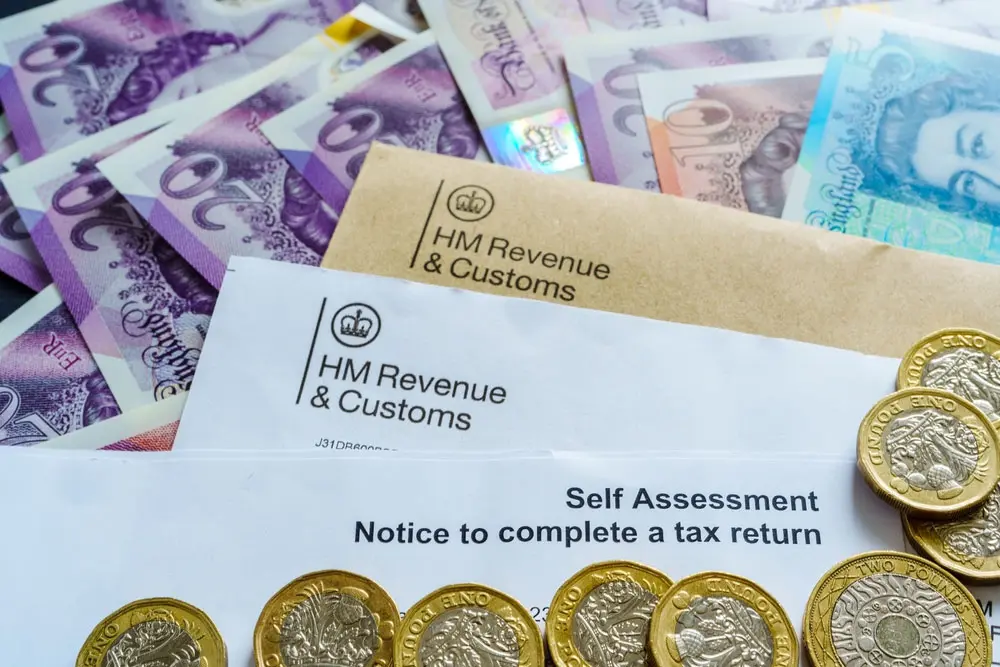
Whether you are self-employed,earning income outside of normal employment, or have any other special requirements as defined by HM Revenue & Customs (HMRC), you may have to file a self-assessment tax return.The UK government requires such people,whose sources of income are outside the PAYE taxation register, to submit their tax returns through the GOV.UK portal.
This guide explains registering for Self-Assessment through GOV.UK-in studying eligibility criteria, registration methods, deadlines with some important notes, and step-by-step processes for your compliance with the tax law in the UK.
What is a Self-Assessment Tax Return?
A Self-Assessment tax return is a mechanism by which HMRC collects Income Tax from people whose tax has not already been deducted from wages, pensions or savings. The self-employed, freelancers or employees not paying tax on substantial amounts of income other than from employment must declare this amount under the Self-Assessment system.
- One is mandated to fill the self-assessment tax return if he happens to
- Self-employed as a sole trader and earned beyond £1,000 in any tax year.
- Has a partner in a business partnership.
- Received money from letting out property.
- Has dividend, investment, or savings income.
- Earned a salary over 100,000 and served either as an employee/director.
- Received foreign income.
Registration for Self Assessment means to have one’s income and tax declared appropriately for that income:- registering for Self-Assessment on GOV.UK.
How to check if You Need to Register for Self-Assessment
To begin with,check whether you do indeed have to make a Self-Assessment tax return to HMRC. There’s an online tool at GOV.UK for checking whether or not you need to file a return.Refer to the HMRC site; respond to a few questions regarding your sources of income, and if found liable, continue with registration.
Methods to Register for Self-Assessment
There are three basic methods for registering for Self-Assessment depending on your case:
Registering as Sole Trader
When you work for yourself, you have to register online with HMRC. You might require a Government Gateway account. A Unique Taxpayer Reference (UTR) number will then be allocated to you by HMRC.Registering as a Partner in a Business Partnership If you are a partnership member, then both the partnership and you must register for self-assessment.The nominated partner must register the partnership and apply for a business UTR.Entering Additional Income as an IndividualIf you have extra income like rental income or dividends or foreign income, you should register as an individual taxpayer. You may either do so online or fill in the SA1 form.
How to Register- A Step by Step Guide for Self Assessment
Step 1: creating a government gateway account
- To register for self-assessment online,you have to create a government gateway account.You will then have access to HMRC’s online.
- Visit to GOV.UK and visit to the Self Assessment registration page
- Click on ‘Register for HMRC online services’.
- Enter your email and follow the instructions to set up your account.
- HMRC will send you a confirmation code to verify your email.
Step 2: Register Online for Self Assessment
You have created a Government Gateway account, you can register for Self Assessment.
- Log into your government gateway account.
- There is an option to Register for self-assessment.
- Enter your personal details (name, address and National Insurance number).
- Specify the type of business (self-employed, partnership or other income sources).
- Confirm date on which your business started, if registering as self-employed.
- Submit Application.
Step 3: Obtaining Your Unique Taxpayer Reference (UTR)
HMRC will issue your Unique Taxpayer Reference (UTR) number within ten working days of your application. If you registered as an overseas taxpayer, the processing time is extended to 21 days. All UTR numbers are unique to the individual and consist of ten digits and represent the taxpayer’s records within the tax system. HMRC will send you a letter containing your UTR number and guidance on creating an online Self Assessment account.
Step 4: Activate Your Online Tax Account
Once you get the UTR number, you can now activate your Self Assessment online account.
- Log in to your Government Gateway account..
- Enter your UTR number and activation code sent by HMRC.
- Confirm the details and set up your account for filing tax returns online.
Step 5: File Your First Self Assessment Tax Return
Once you have officially registered, you will have your tax return submission before the annual deadline. A Self Assessment tax return covers several areas, including:
- Declaring the source of income.
- Claiming allowable expenses.
- Calculating tax owed.
- Submitting the return online via GOV.UK.
Deadlines for Self Assessment.
Here are some important deadlines.
- 5 October – The last date for registering for Self Assessment for a new tax year.
- 31 January – The last date for submission of online tax return and payment of tax.
- 31 July – The last date for making the second payment on account, if due.
Fines and interest charges may arise in case of a shortfall in observance of the put deadlines.
Common Mistakes to Avoid
Here are some common mistakes to avoid:
- Failure to Register on Time – A late registration will usually incur penalties.
- Incorrect Income Details Entry – Ensure you state and report the accurate income.
- Not Keeping Records – You should keep your business records for not less than five years.
- Missing the Deadline – The moment you submit late, you will suffer automatic fines from HMRC.
Our Virtual Office Services
Designed for business owners wishing to uphold a professional image while working remotely, our virtual office services comprise some form of prestigious business address, mail handling, and call answering solutions. If you require a registered office address or professional meeting room space, we are here to help.
After consideration for the Self Assessment tax return registration on the GOV.UK website, it is easily done but requires the utmost consideration for deadlines and requirements. By following the above step-by-step guidelines, you will retain full compliance with HMRC regulations and avoid unwanted penalties. Registering for Self Assessment will greatly assist those who are self-employed, in a partnership, or receiving any additional income in managing their tax obligations.
Ensure you register before the deadline of 5 October, file your tax return promptly, and maintain accurate records to enable the entire process to be carried out with ease. If you require professional assistance, you may also consider our accounting services or virtual office solutions to assist you in managing your business effectively.